
Guide by Alvin
Hey everyone!
I've spent many hours experimenting with the image model to improve my ability to create desired and exotic clothing styles. Through this process, I've discovered that describing the body can impact the clothing as much as specifying the attire itself. You can even achieve multiple effects by separately targeting the body and the outfit. I'll be breaking down these techniques step-by-step throughout this article, so stay tuned for tips on how to make the most out of AI image generation for clothing design. It is important to note that I'm primarily focusing on clothing, this is not an overall guide to generating images. However, it would not be too difficult to apply aspects of this guide to other aspects of your character's Profile Pictures (PfPs) than clothing.
¶ Power of Association
Let's dive into this section using Yezara to illustrate how to create unique clothing designs with the image model. I primarily focused on body details, with the only direct clothing prompt being Mystical Robe.
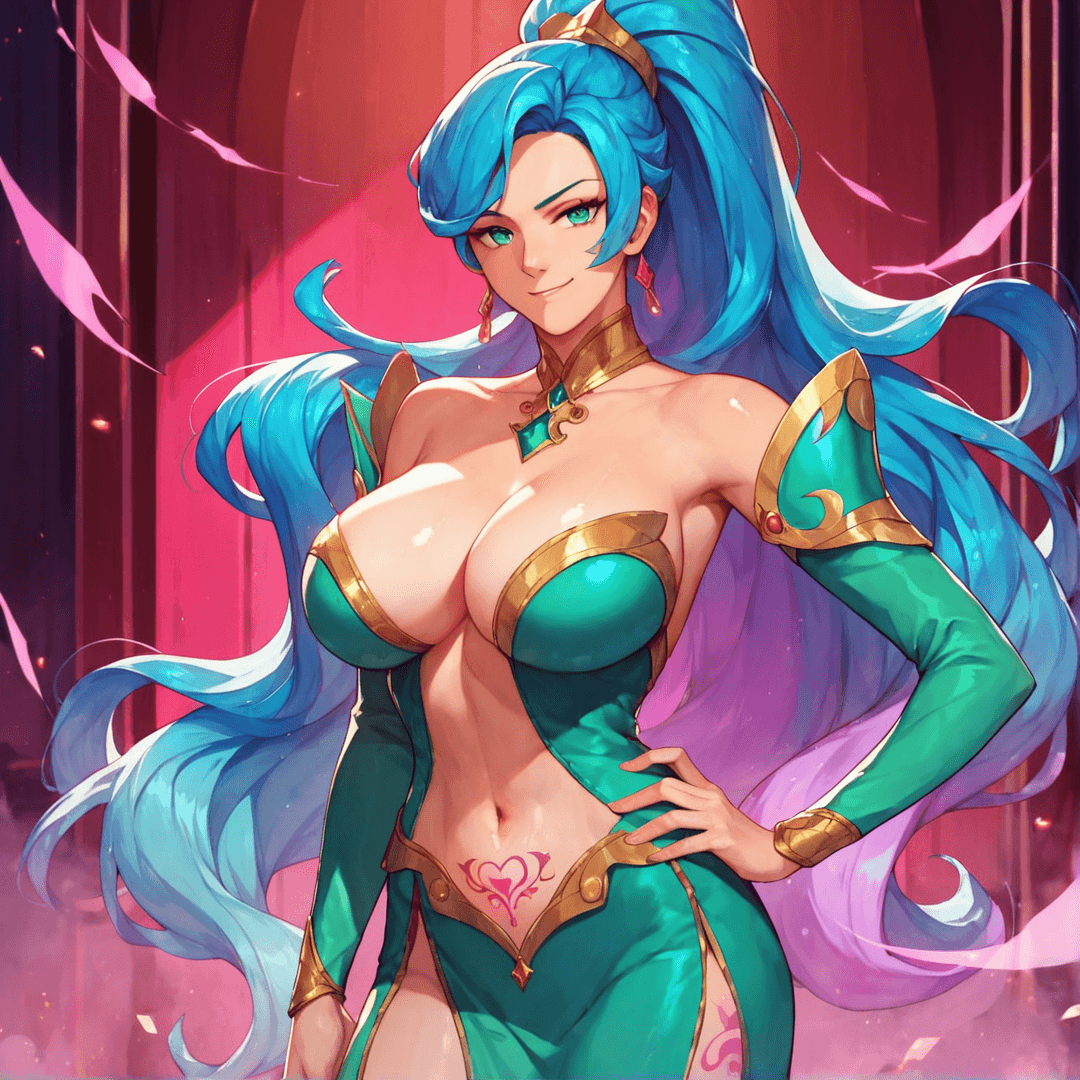
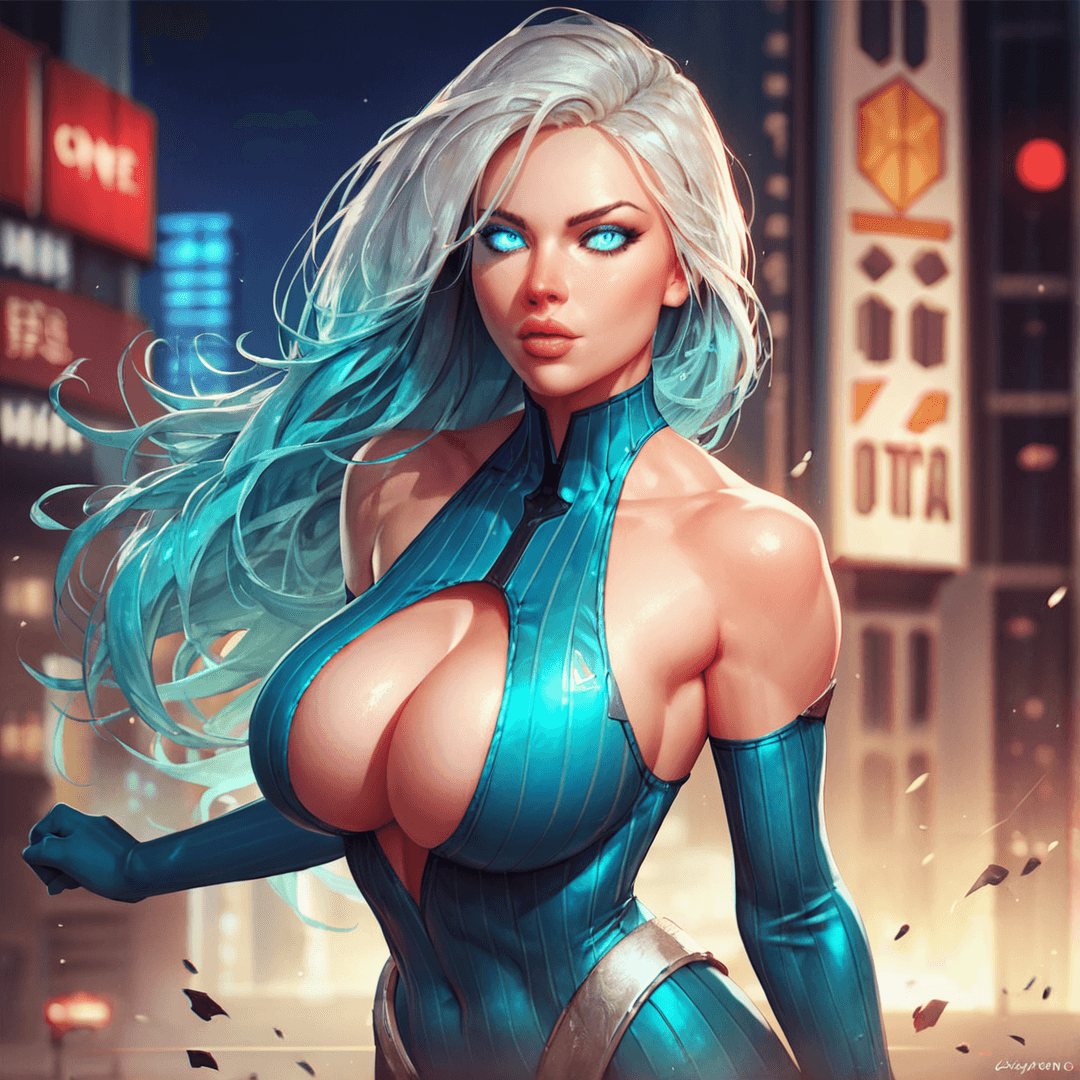
To achieve Yezara's unique design, I used a few specific prompts. Deep cleavage tends to create very low-cut tops, which I noticed while working with another character, Kyella. For Yezara, I wanted an even more distinct look, so I added Pelvic tattoo. Tattoos can be tricky, but the AI often makes the area around the tattoo nude to display it properly. Combining Deep cleavage with Pelvic tattoo resulted in a split top. You can also see the splitting effect with BlueAegis' PfP.
|
|
The direct clothing prompts for BlueAegis were Blue spandex, Silver Stripes. There was no specific prompt for top splitting, but I did include Deep Cleavage.
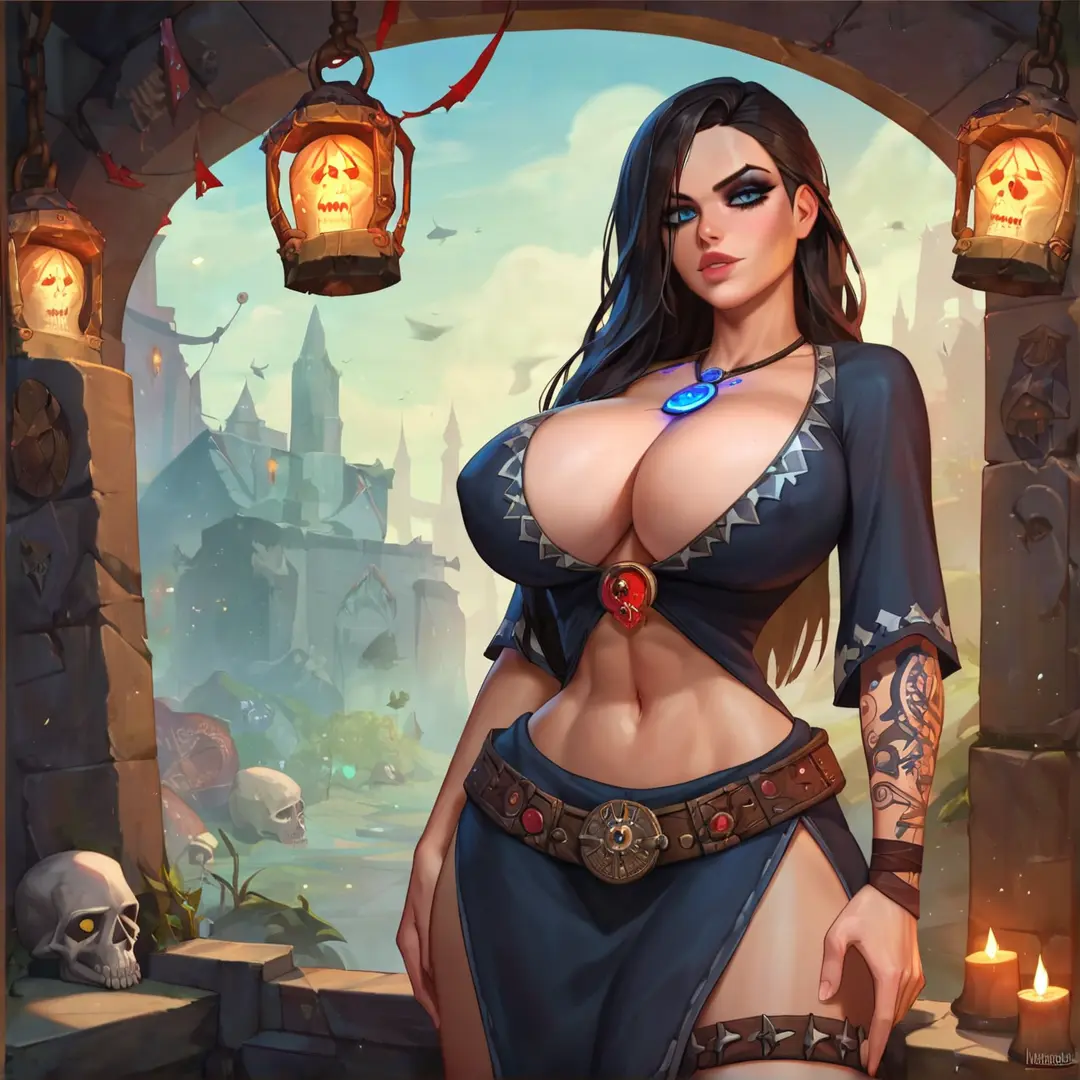
The split robe revealing the thighs was a discovery I made with Kyella. Using Hands on hips not only creates a seductive pose but also often results in a split bottom if the clothing doesn't specify a lower half. For Kyella, I used Tunic without specifying pants, and for Yezara, Mystical robes led to a similar open design as most robes don't have a specified bottom.
I use the term open to describe any unspecified features. For example, not specifying pants means the AI fills in the gaps using other prompts. With Kyella, I used Fantasy and Necromancy, leading the AI to assume a robe even though only Tunic was specified. This logical assumption by the AI can be harnessed to your advantage.
Unless I'm looking for a specific color, I leave clothing colors open. The AI then draws from other specified colors. For instance, Kyella's makeup is described as Black Makeup, leading to black clothes, while Yezara's Radiant green eyes resulted in green robes. Managing your prompts this way allows you to fit more into the 200-character limit by letting the AI fill in the gaps.
¶ The Impact of a Single Word in AI Image Generation
When creating clothing with AI image generation, even a single word can significantly impact the results. Let's use my character Mazana (rework in progress) as an example. Mazana’s cloak serves as a perfect demonstration of how one word can drastically change your image.
Initially, I wanted a plant-like cloak to represent her druidic nature, so I started with the prompt Floral Cloak. However, this resulted in cloaks with floral prints, not the plant-like appearance I wanted. The solution was simple: adding the word leafy. By changing the prompt to Floral Leafy Cloak, I eliminated the floral print issue and consistently generated beautiful, plant-like cloaks.
Since Mazana's PfPs focuses on the upper body, the cloak became a dominant feature, making "leafy" an essential and impactful word in the prompt. If you struggle to achieve specific results, try adding similar or related words. Playing around with different prompts can help you find the perfect combination.

|

|
¶ Keep Direct Clothing Prompts Simple
To create effective clothing prompts with AI, it's essential to keep your foundation simple and straightforward. While it might seem counterintuitive, direct clothing prompts should be simple. For instance, most of my examples include only one or two direct clothing descriptions, supplemented by other details, poses, or keywords that simultaneously add to the character and influences the outfit.
When trying to generate complicated or exotic outfits, avoid overloading your prompt with intricate clothing details. Doing so can either confuse the AI or limit the room for additional elements. This approach is primarily for complex designs but can also enhance simpler clothing prompts if desired.
In some cases, creating unique clothing types can be straightforward, like when I designed Mazana's cloak. However, note that I focused only on a cloak, not an entire outfit.
¶ Conclusion and Disclaimer
This isn't going to be a one-size-fits-all approach; some clothing may need intricate clothing details, or some styles may be so straightforward that you don't need to do anything fancy. This guide is what I have found out from an arguably unhealthy amount of time spent on generating images and experimentation. I plan to do another guide on monster generation, which honestly might even be longer than this one and definitely more organized.
Monsters are super fun because, once you really learn how to make them, you can make just about anything. I've been regularly generating monsters with this model!
Thank you for reading! I sincerely hope this guide will help you with your future endeavours 💜